Local-first, always
There is no server and no sign-in. Your tasks, notes and settings live in a single database file on your computer. Close the wifi and nothing changes.
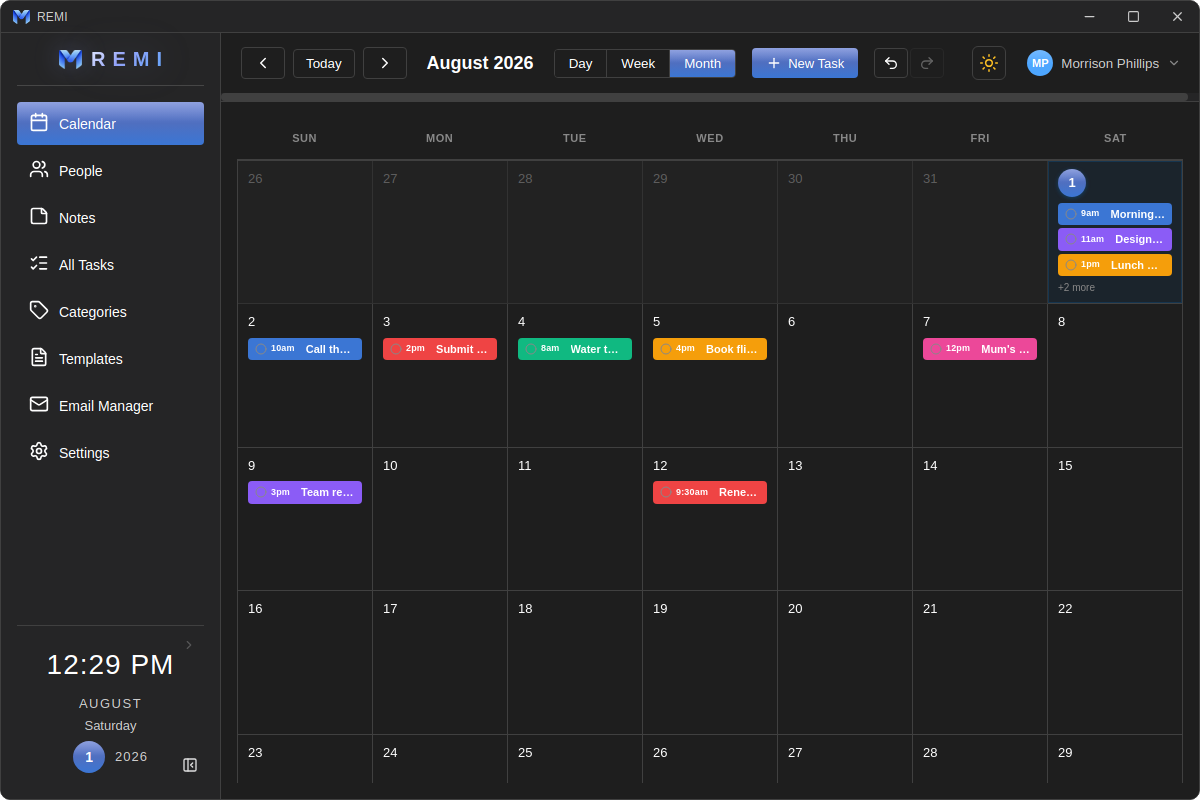
Remi for desktop is a real app for Windows — not a browser tab. It opens straight into your calendar, keeps every task in a file on your own computer, and works with the internet switched off.
Everything else in the app follows from these.
There is no server and no sign-in. Your tasks, notes and settings live in a single database file on your computer. Close the wifi and nothing changes.
No login screen, no splash, no onboarding tour. Launch Remi and you are looking at today — the app remembers the view and window you left it in.
Complete a task, move it, delete it — one undo button takes it back. Destructive actions ask first, in a dialog that matches the app instead of the operating system.
Real screenshots from the app — nothing staged.
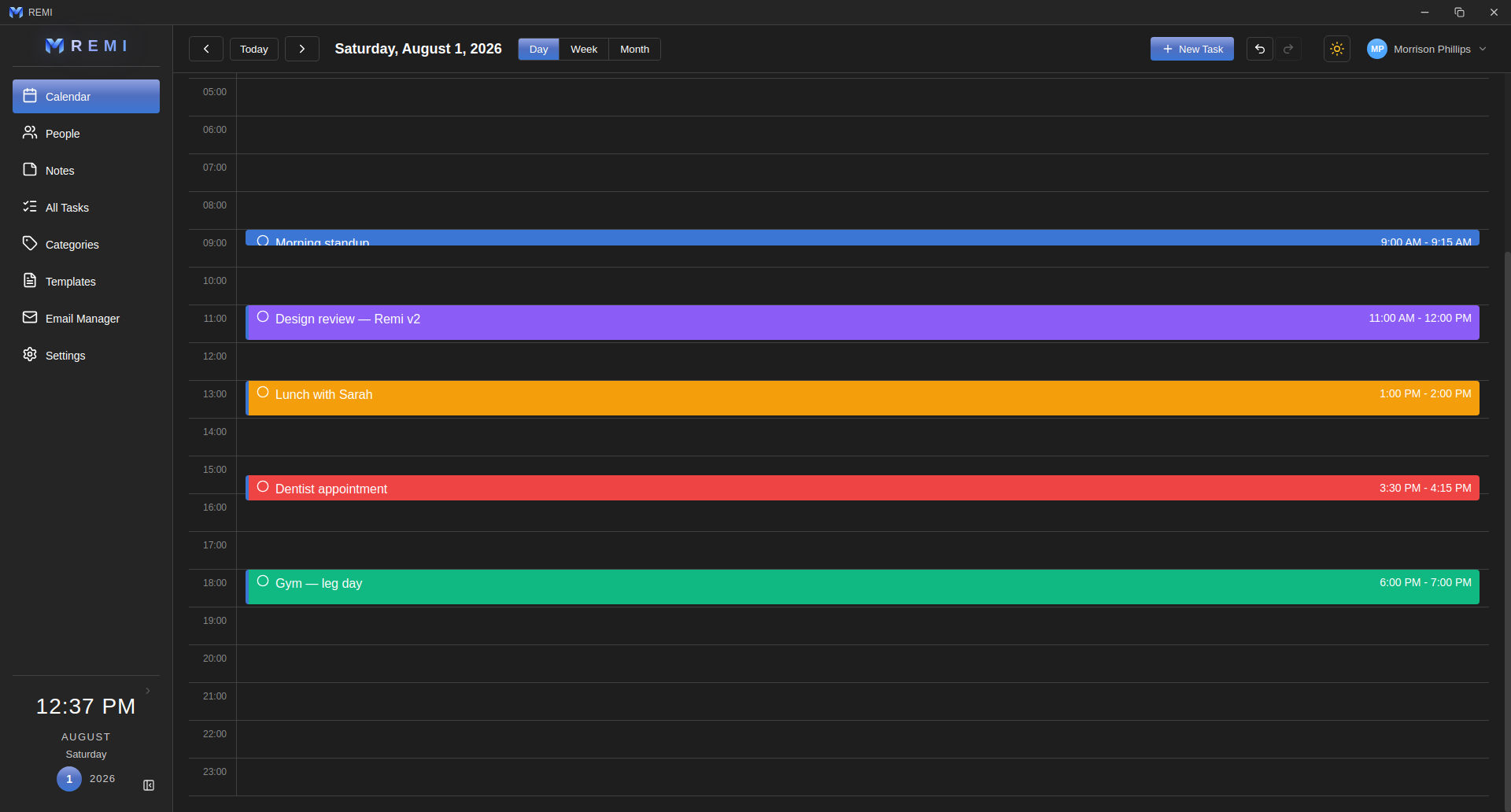
The full 24 hours, with each task drawn across the time it really occupies. Right-click an empty hour to create a task that starts right there.
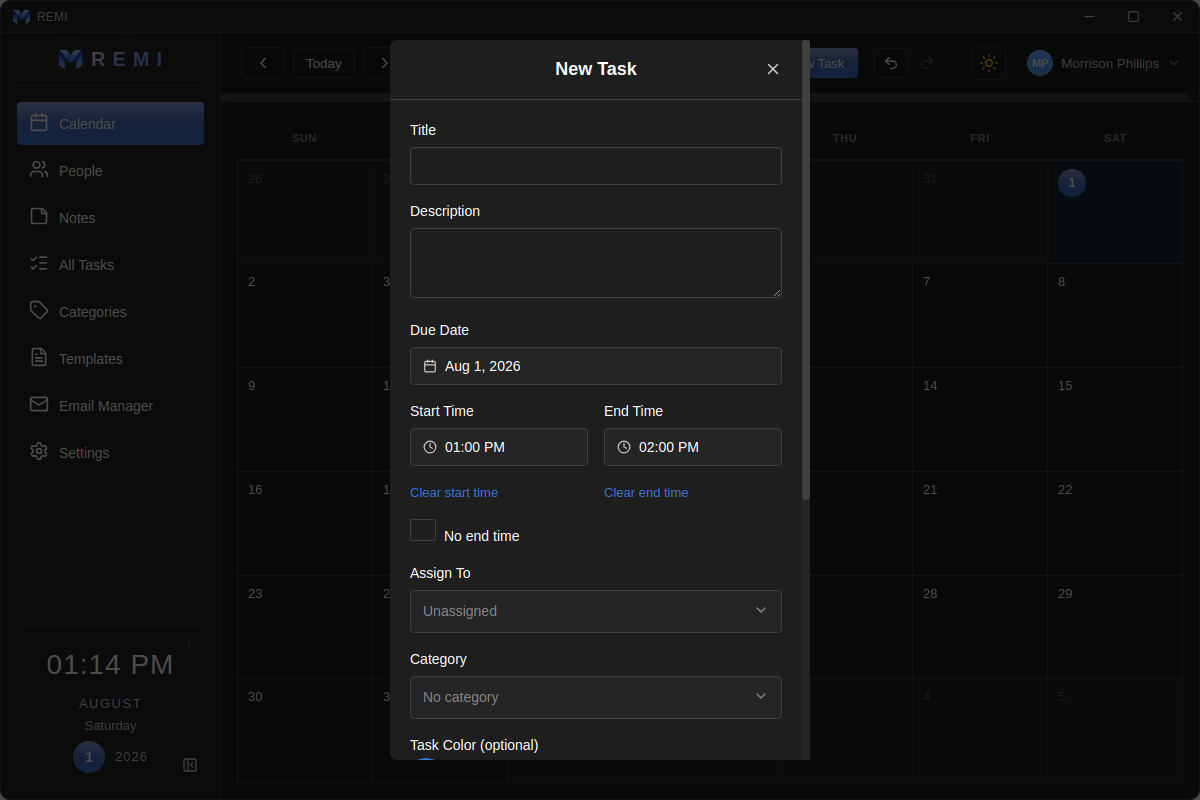
Title, description, date, start and end time, who it's for, a category and a color. Repeats are a row of pills — weekdays, weekly, or hand-picked days.
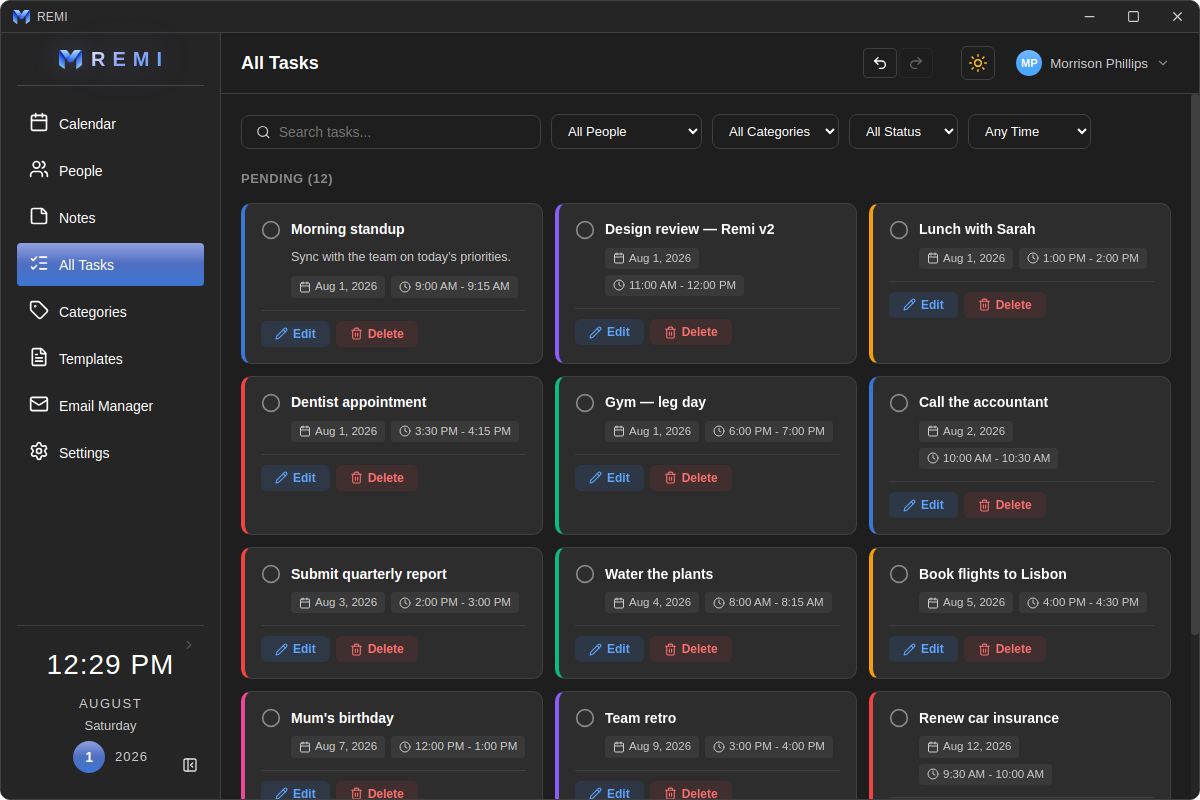
One list of everything you have. Narrow it by person, category, status or time — down to a specific date — and edit anything in place.
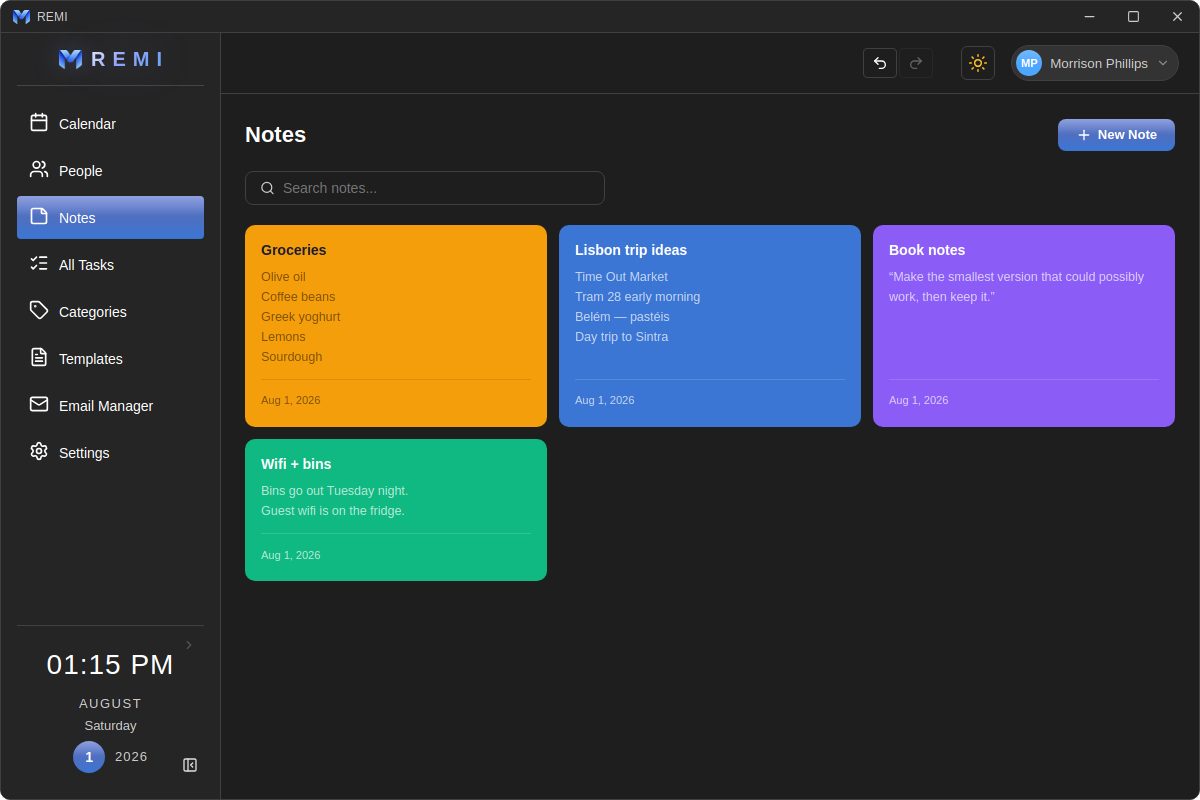
Color-coded cards that sit beside your tasks instead of in another app. Newest first, searchable, and as long as you need them to be.
The parts that don't need a screenshot to explain.
Remi checks every minute and raises a real Windows notification when a task is due — with the lead time you chose, whether the window is open or minimized.
Add everyone in the house. Each person gets their own tasks, notes and settings — switching between them swaps the whole app over, not just a filter.
Save a set of tasks you repeat — a cleaning round, a morning routine — and lay the whole thing down again whenever you need it.
Group tasks into categories with their own color and icon, so a glance at the calendar tells you what kind of day it is.
A proper light theme and a proper dark one, switched from the header. The window is themed too, so there's no white flash when you launch it.
The sidebar shows a live clock and your local forecast, found from your connection — no account, no location permission, no API key.
No subscription, no account, no cloud to trust. Install Remi and your tasks are yours — on your machine, where you can see them.
Windows · Free · Works offline